
Student Photo & Signature Cropper Online
Easily crop student photos and signatures from a single school sheet. Select the A4 page, adjust photo and signature frames, change output dimensions, and create individual JPG files for each student. with your adjustable size.
This online student photo cropper is useful for schools, teachers, colleges and examination forms
(ex. HSC And SSC Maharashtra state Board Exam)
where multiple student photographs and signatures need to be prepared quickly.
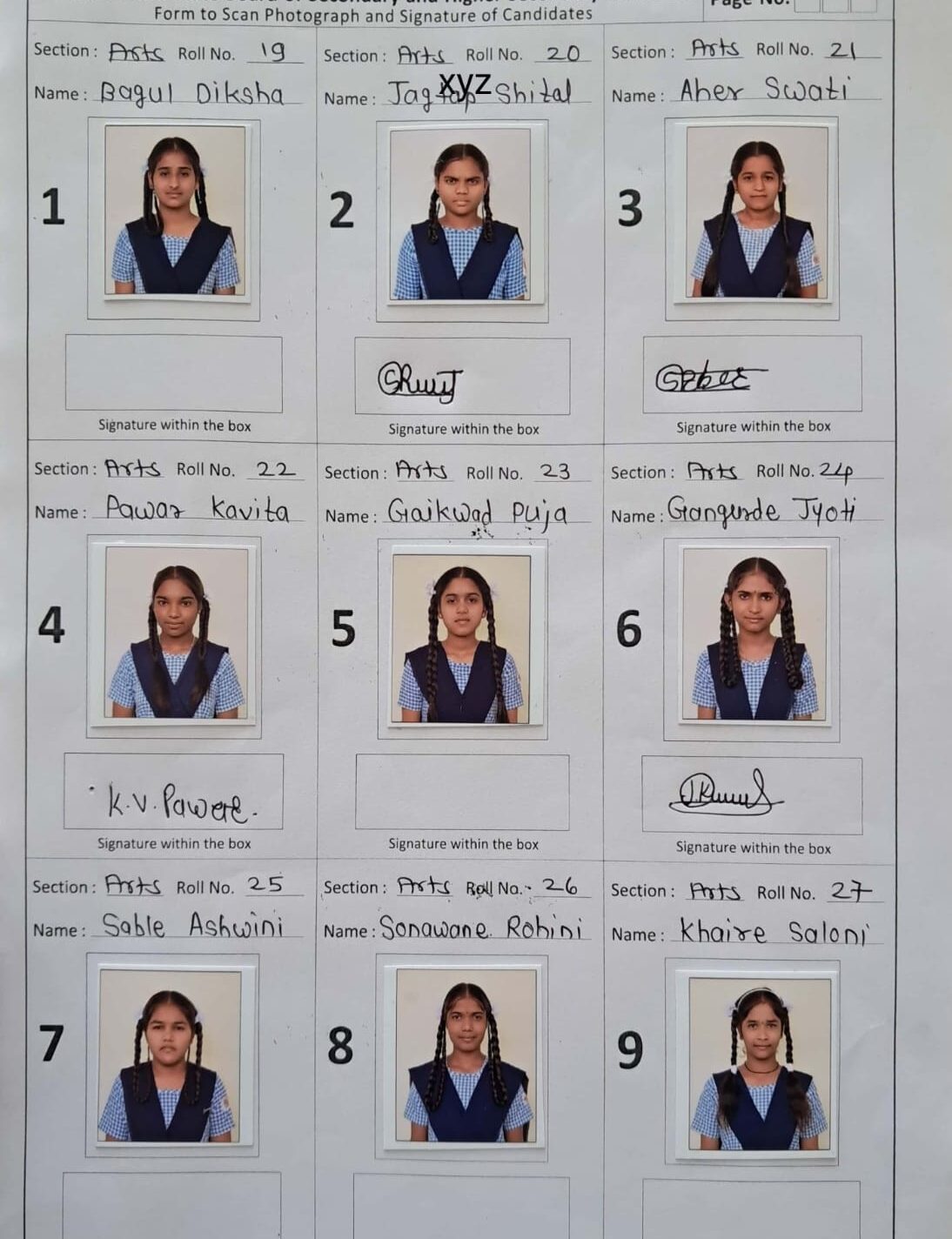
STEP 1 — Upload Student Sheet
STEP 2 — Select A4 Page
Drag the four blue corner handles around the complete A4 page.
STEP 3 — Student Information & Output Size
🟢 PHOTO OUTPUT
🔵 SIGNATURE OUTPUT
STEP 4 — Adjust Photo & Signature Frames
🟢 Green = Photo 🔵 Blue = Signature
Move: drag inside a frame. Resize: drag a corner/edge handle. Exact: use Frame Editor below.
🎯 Frame Size & Position Editor
🟢 Change ALL Photo Frames Together
🔵 Change ALL Signature Frames Together
STEP 5 — Final Results
Adjust
Student Photo & Signature Cropper – FAQ
Find answers to common questions about cropping student photos, resizing images, compressing files and downloading photos and signatures.
Can I crop 9 student photos from one JPG?
Yes. Upload the complete 3×3 student sheet and the tool can automatically separate the nine student photo and signature areas. You can preview each result before downloading.
Can I compress student photos below 40 KB?
Yes. You can set the maximum student photo file size according to your requirement. The default setting is 40 KB. The tool automatically compresses the image to stay within the selected file-size limit.
Can I make signatures smaller than 20 KB?
Yes. You can set the maximum signature file size to 20 KB or another value according to your requirement. This makes it easier to prepare signatures for online forms and student records.
Can I adjust an automatically cropped photo?
Yes. Every student result includes an Adjust option. You can move and resize the crop area to correct the photo or signature before downloading the final file.
Can I download all student photos together?
Yes. Click Download All 18 Files — ZIP to download all nine student photos and nine signatures together in a single ZIP file.
Does the tool require software installation?
No. You do not need to install any additional software. The student photo and signature cropper works directly in a modern web browser.
Can I use the student photo cropper on mobile?
Yes. The webpage is designed to work on smartphones, tablets and computers. You can upload your student sheet, preview the cropped images and download the results from your browser.